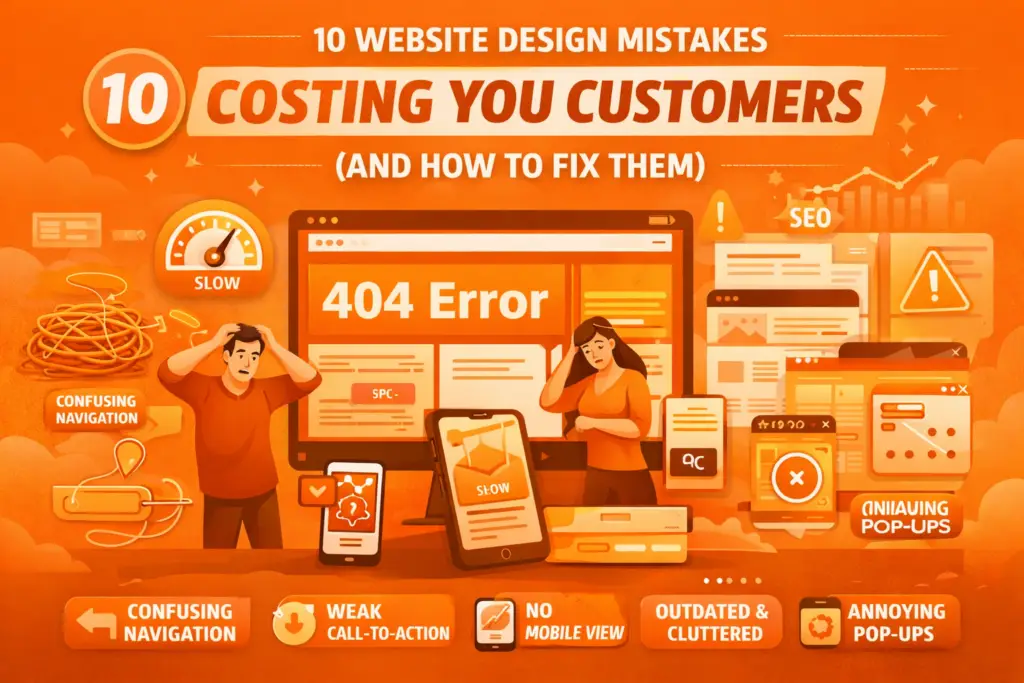
Your website is often the first interaction potential customers have with your business. In just a few seconds, visitors decide whether to stay, explore your services, or leave and choose a competitor. Even if you offer excellent products or services, certain website design mistakes can drive visitors away and reduce your chances of generating leads and sales.
Many small and growing businesses lose customers without realizing that the problem lies in their website experience. In this article, we’ll explore the most common website design mistakes that may be costing you customers and how you can fix them.
1. Slow Website Loading Speed
Speed is one of the most important factors for user experience. Today’s users expect a website to load within a few seconds. If your site takes too long, visitors will leave before even seeing your content.
Common causes of slow websites:
- Large, unoptimized images
- Poor hosting services
- Too many plugins or heavy scripts
How to fix it:
- Optimize images and media files
- Use reliable hosting
- Minimize unnecessary elements
A faster website not only keeps users engaged but also improves your search engine rankings.
2. Not Mobile-Friendly
Most people browse websites using smartphones. If your website is difficult to navigate on mobile devices, you’re likely losing a large portion of potential customers.
Problems with non-responsive websites:
- Text too small to read
- Buttons hard to click
- Layout breaking on smaller screens
Solution:
Use responsive design so your website automatically adjusts to different screen sizes and provides a smooth mobile experience.
3. Confusing Navigation
Visitors should be able to find what they need quickly and easily. If your menu is complicated or your pages are poorly organized, users may leave out of frustration.
Common navigation issues:
- Too many menu items
- Hidden or unclear page links
- No clear structure
Best practice:
- Keep menus simple and organized
- Use clear labels like Home, Services, About, Contact
- Add a search option if needed
Simple navigation improves user satisfaction and increases conversions.
4. Outdated Design and Content
An old-looking website gives the impression that your business is inactive or unprofessional. Outdated content, broken links, or old contact information can damage your credibility.
Signs of an outdated website:
- Old design styles
- Low-quality images
- Missing or outdated information
What to do:
- Refresh your design regularly
- Update content and images
- Check for broken links
A modern website builds trust and keeps your brand relevant.
5. Lack of Clear Call-to-Action (CTA)
Visitors won’t take action unless you guide them. If your website doesn’t clearly tell users what to do next, you may miss valuable opportunities.
Examples of effective CTAs:
- “Get a Free Quote”
- “Contact Us Today”
- “Book an Appointment”
- “Buy Now”
Place CTAs prominently on important pages to encourage user engagement.
6. Poor Visual Hierarchy
When everything on a page looks equally important, users don’t know where to focus. Poor layout and cluttered design make your website difficult to read.
Common problems:
- Too much text in one place
- No spacing between sections
- Inconsistent fonts and colors
Solution:
- Use headings and subheadings
- Maintain proper spacing
- Highlight important information
A clean and structured layout helps users quickly understand your message.
7. Weak Branding
Your website should reflect your brand identity. Inconsistent colors, fonts, or messaging can confuse visitors and make your business less memorable.
Strong branding includes:
- Consistent color scheme
- Professional logo placement
- Clear brand voice and message
Good branding builds recognition and trust.
8. Missing Trust Elements
Customers want to feel confident before choosing your business. If your website lacks credibility signals, visitors may hesitate.
Important trust elements:
- Customer testimonials
- Client logos or case studies
- Secure HTTPS connection
- Clear contact details
Adding these elements reassures visitors and increases conversions.
9. Too Many Pop-ups or Distractions
While pop-ups can be useful, excessive or intrusive ones can annoy visitors and cause them to leave.
Avoid:
- Multiple pop-ups on one page
- Auto-playing videos with sound
- Flashing or distracting animations
Keep the user experience smooth and distraction-free.
10. Poor SEO Structure
Even a well-designed website won’t bring customers if people can’t find it. Poor SEO practices limit your visibility on search engines.
Common SEO design mistakes:
- Missing meta titles and descriptions
- No proper heading structure
- Slow loading speed
- Non-mobile-friendly design
Optimizing your website for SEO helps attract organic traffic and potential customers.
Final Thoughts
Your website should work as a powerful tool to attract, engage, and convert visitors into customers. However, common design mistakes such as slow speed, poor navigation, outdated layout, or lack of mobile optimization can silently drive people away.
Regularly reviewing and improving your website ensures that it meets modern standards and user expectations. Investing in a clean, fast, and user-friendly design not only improves customer experience but also increases your business growth.
If you want to stay competitive in today’s digital world, make sure your website is helping your business—not costing you customers.